Your masjid’s times,
in every room.
Muezzin plays the adhan through the speakers you already own, on your own masjid’s timetable. On your phone, on your speakers, or both.
First year free, then £2.49 for your second year.

- WORKS WITH
- Amazon Echo
- Google Home
- Sonos
- Apple HomePod
- AirPlay & Chromecast
How it works
Sign up, set it up in the app, and Muezzin plays on the speakers your home already has.
Add your masjid
Paste the page where your masjid publishes its timetable, or upload the PDF or a photo. Muezzin reads it, checks every day, and shows you before anything is saved.
Choose what plays where
Adhan when the prayer begins, a call before Jamaah, a reminder before a prayer ends, adhkar after sunrise and sunset — per room, at the volume you set.
It plays, on time
The adhan and iqamah play in the rooms you chose. New months are fetched by themselves, and if the masjid’s website is ever down, calculated times step in — and the app says so, plainly.
An announcement system for the whole house
- Your own recordings. The adhan and reciters you choose, imported once from a file or a link.
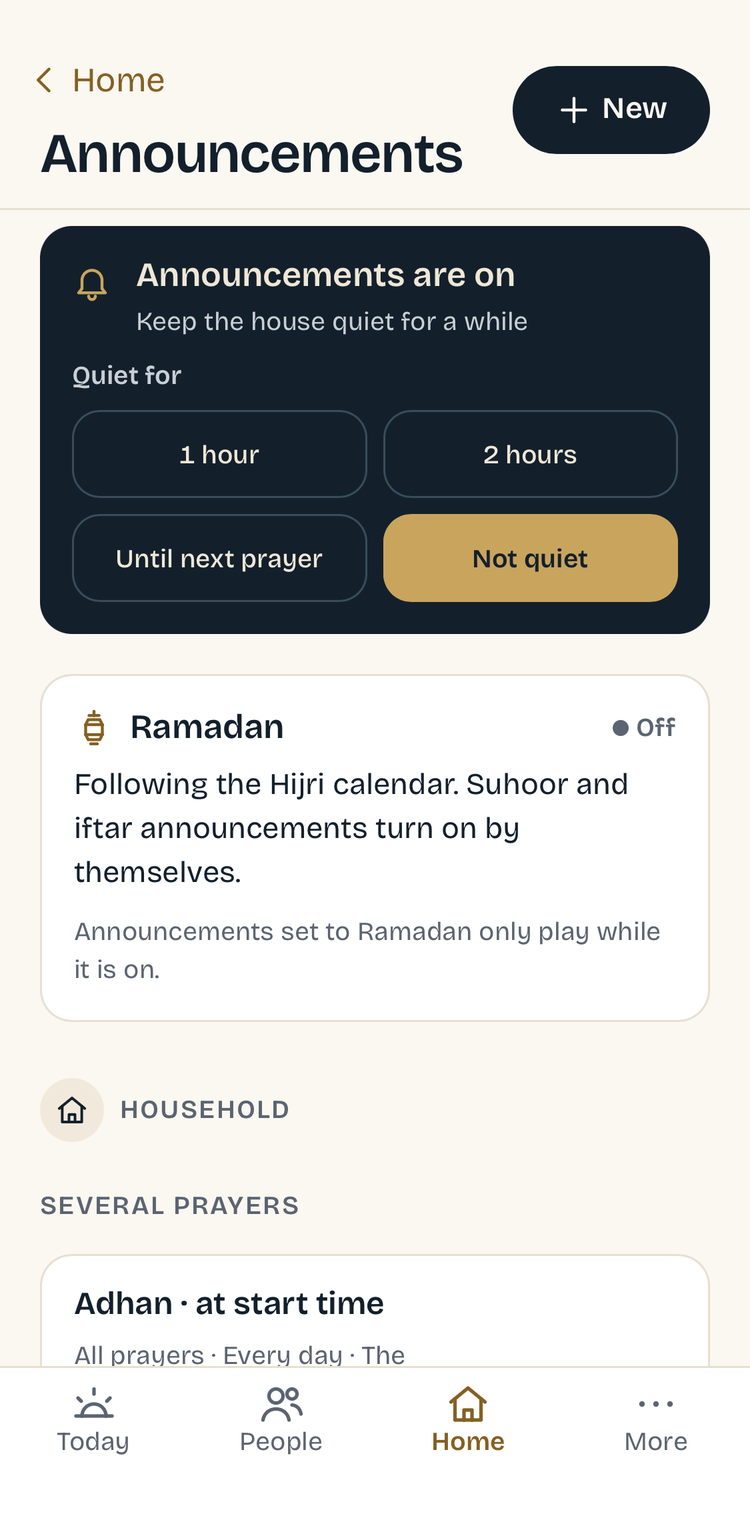
- Quiet when you need it. Quiet hours overnight, and a one-tap Quiet Mode for when guests are over — or just ask the speaker.
- Ramadan knows itself. Suhoor and iftar announcements turn on by themselves, on your sighting.
- Fajr, your way. Choose a gentler adhan just for the bedrooms, and let it play through quiet hours.

Ask out loud, in any room
“Alexa, ask Muezzin when Maghrib is.”
“Maghrib starts at 6:14pm and Jamaah is at 6:19pm at Masjid an-Noor.”
“Hey Siri, next prayer.”
“Next is Isha at 7:42pm, in 1h 28m.”
“When does Isha end?”
“Isha ends at 5:53am, when Fajr begins.”
Alexa, Siri and Home Assistant Assist answer directly; Google speakers answer through Home Assistant. Each room answers as the right person — the kitchen with Maryam’s settings, the bedroom with Adam’s.
No speakers? Still Muezzin.
The app stands on its own. Speakers are a layer you can add later — or never.
- Today, on your phone. Your masjid’s times, the prayer that’s open now, and a notification as each one begins — with the app closed.
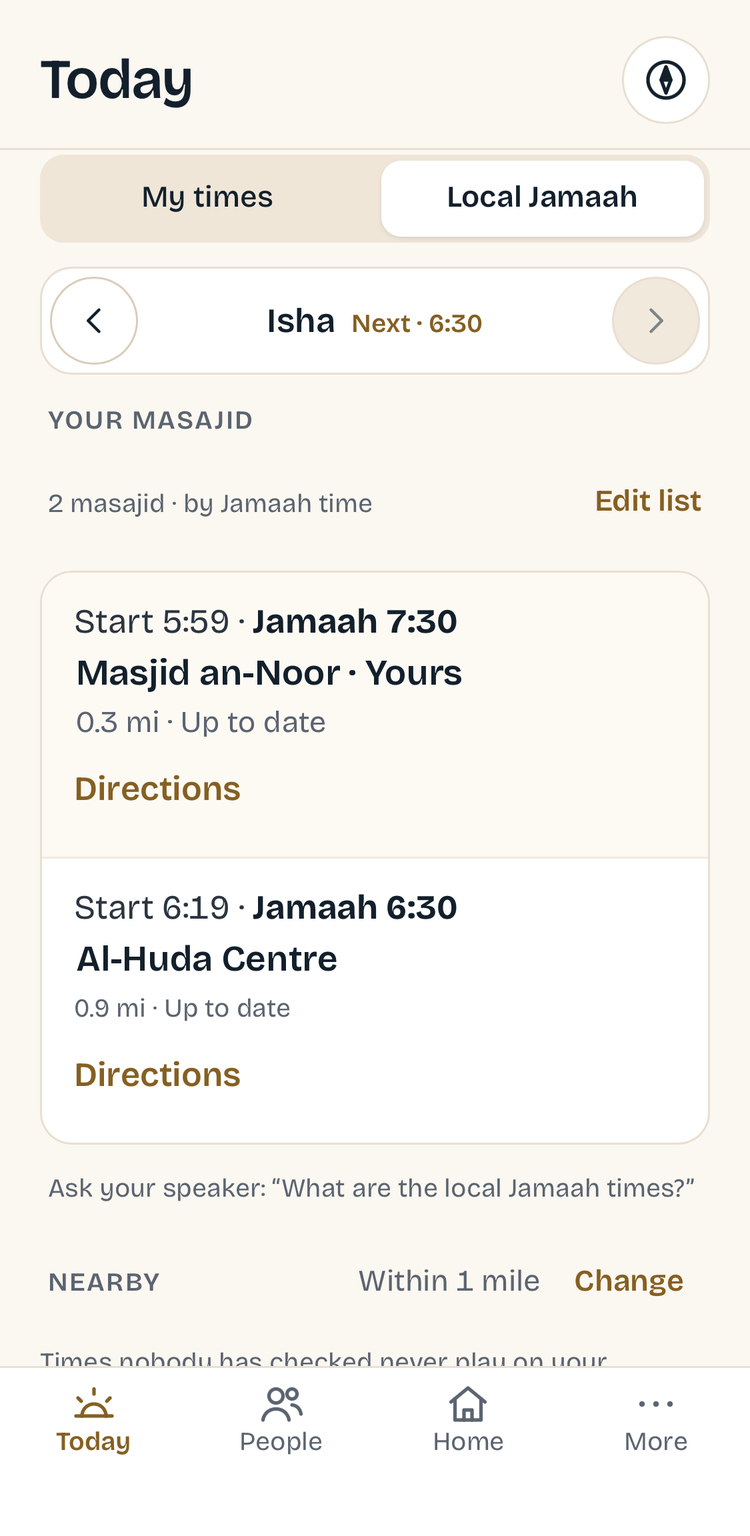
- Local Jamaah. Every masjid within your radius, with start and Jamaah times side by side, so you can pick the one that fits.
- In the air. Add a flight and Today becomes the journey’s: each prayer on two clocks, where you are over the earth, and the qibla from the aircraft’s nose.

What it does
Built around how a praying home actually runs.
Masjid first
Your masjid’s own timetable is the source of truth. Calculation, with your own angles, is only the fallback — and the app always says which you’re seeing.
Checked, not guessed
Every day read from a timetable is validated. Odd rows are flagged for you to confirm — never silently used.
A profile per person
Method, angles, madhab, and how the speaker answers — set per person. Hanafi Asr for one, Shafi‘i for another.
Your day at a glance
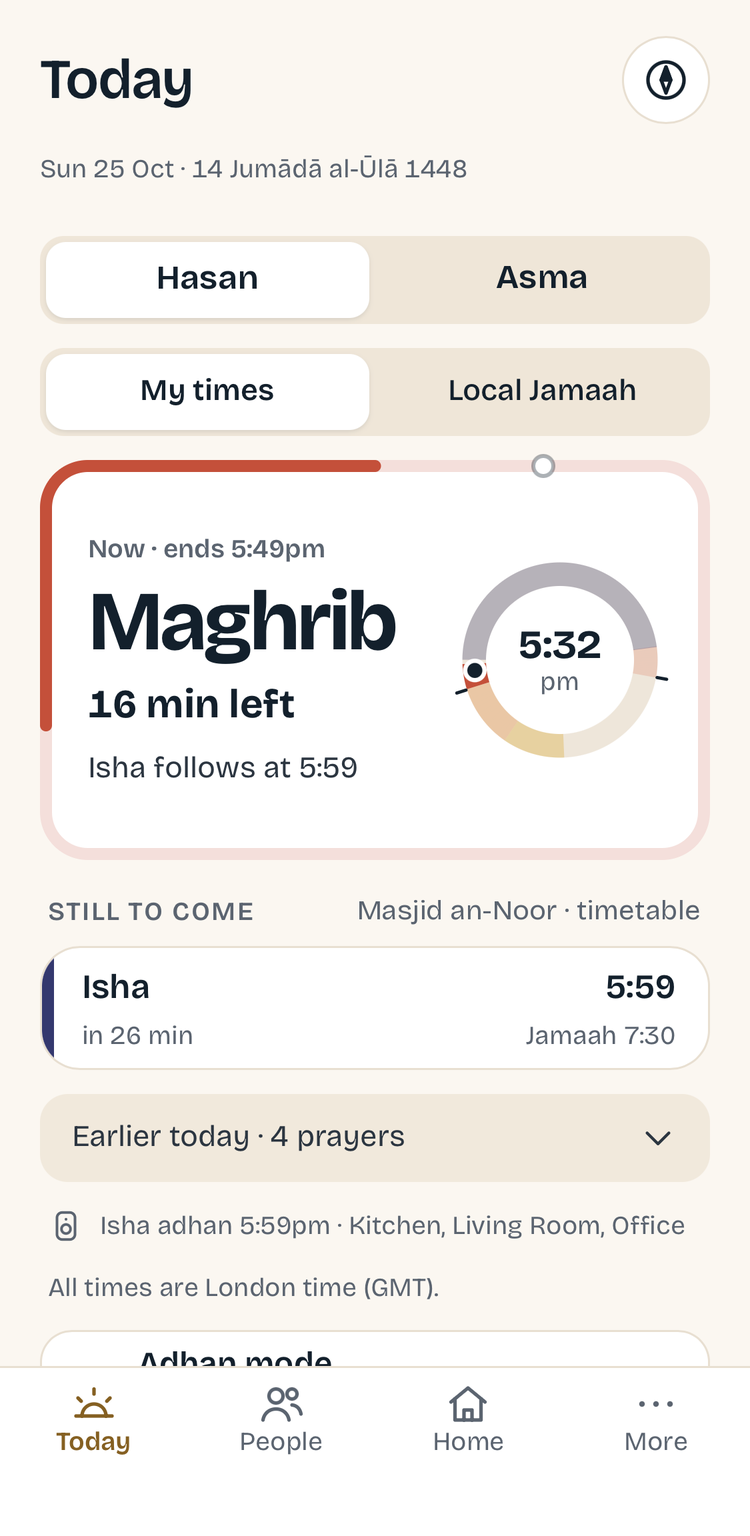
The Today screen shows every prayer window on a 24-hour ring, with the time left to pray running round the card.
Ask out loud
Prayer times, Jamaah, when a prayer ends, the Hijri date, the qibla — just ask the speaker in the room.
Smart home, natively
Flicker the lights when Asr is ending, pause the TV for the adhan, or get a spoken reminder before a prayer runs out — with Apple Home, Alexa Routines or Home Assistant.
Trips, in the air too
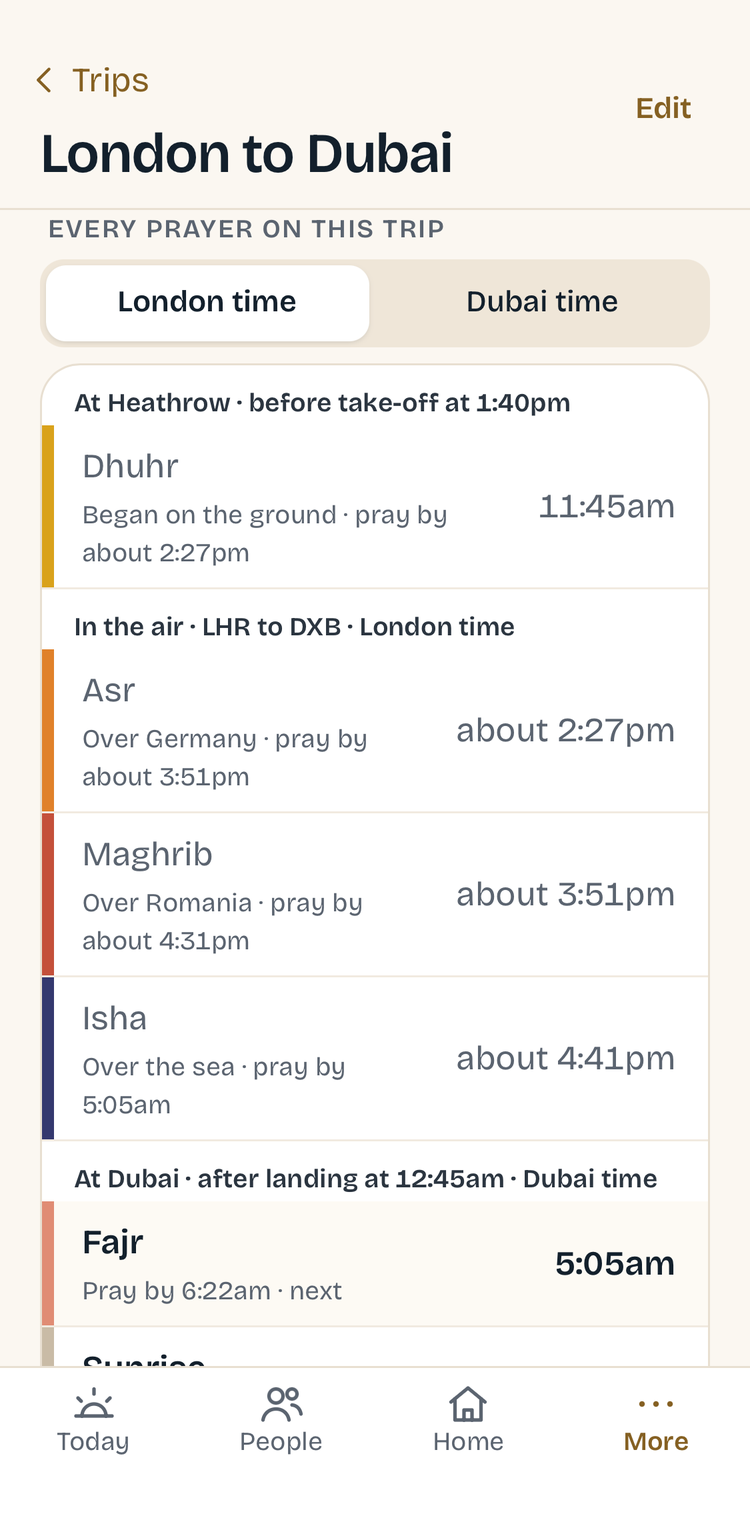
Add a flight and see every prayer of the journey — at the airport, in the air with the qibla from the aircraft’s nose, and after landing. Works in aeroplane mode.
Local Jamaah
Every masjid within your radius, ordered by Jamaah time — spoken aloud, or side by side on the Today screen.
Live broadcasts
Play your masjid’s live stream in any room.
Qibla, Hijri, tahajjud
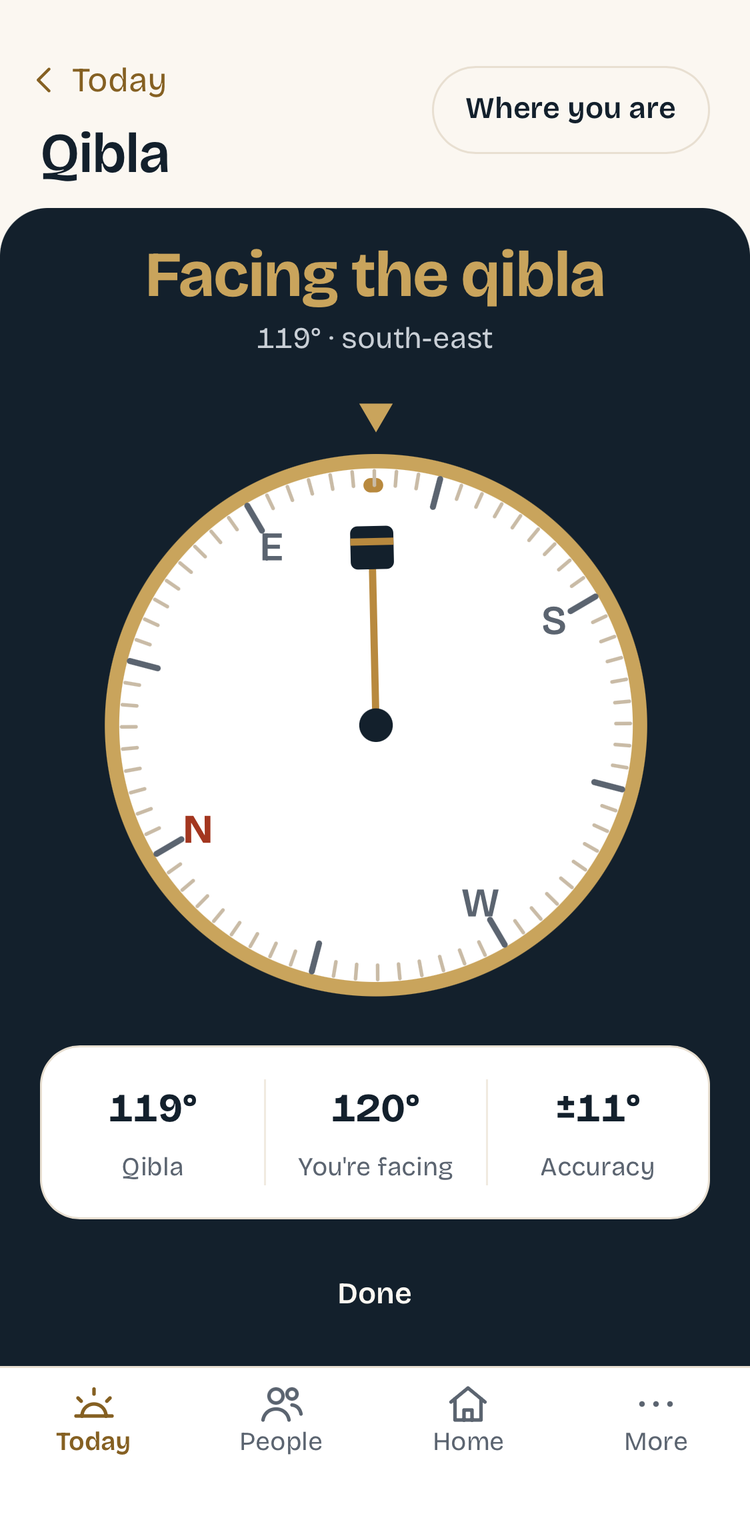
A qibla compass, Hijri dates on your sighting, and the last third of the night worked out for you.
Works on its own
No speakers needed. A web app for phones, tablets and computers — add it to your home screen, get a notification as each prayer begins, and keep today’s times offline.
Says it properly
If a prayer name or your masjid’s name sounds wrong, type how it should be said. The spelling on screen never changes.
Have a look around
Real screens from the app. Swipe through.
- TodayThe open prayer, time left, what’s next.
- Local JamaahNearby masajid, by Jamaah time.
- AnnouncementsQuiet for a while; Ramadan by itself.
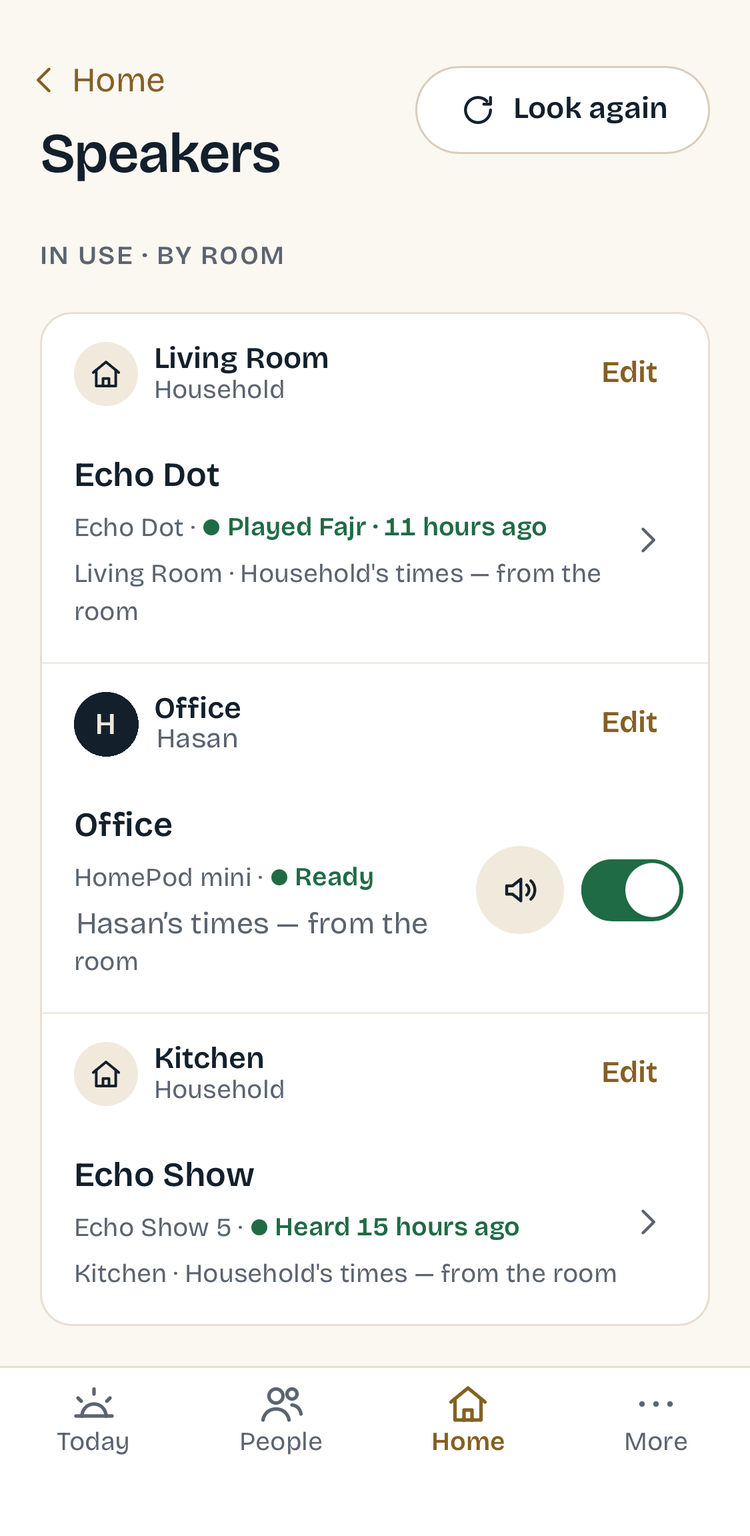
- SpeakersEvery room, whose times it plays.
- In the airTwo clocks, and the qibla from the nose.
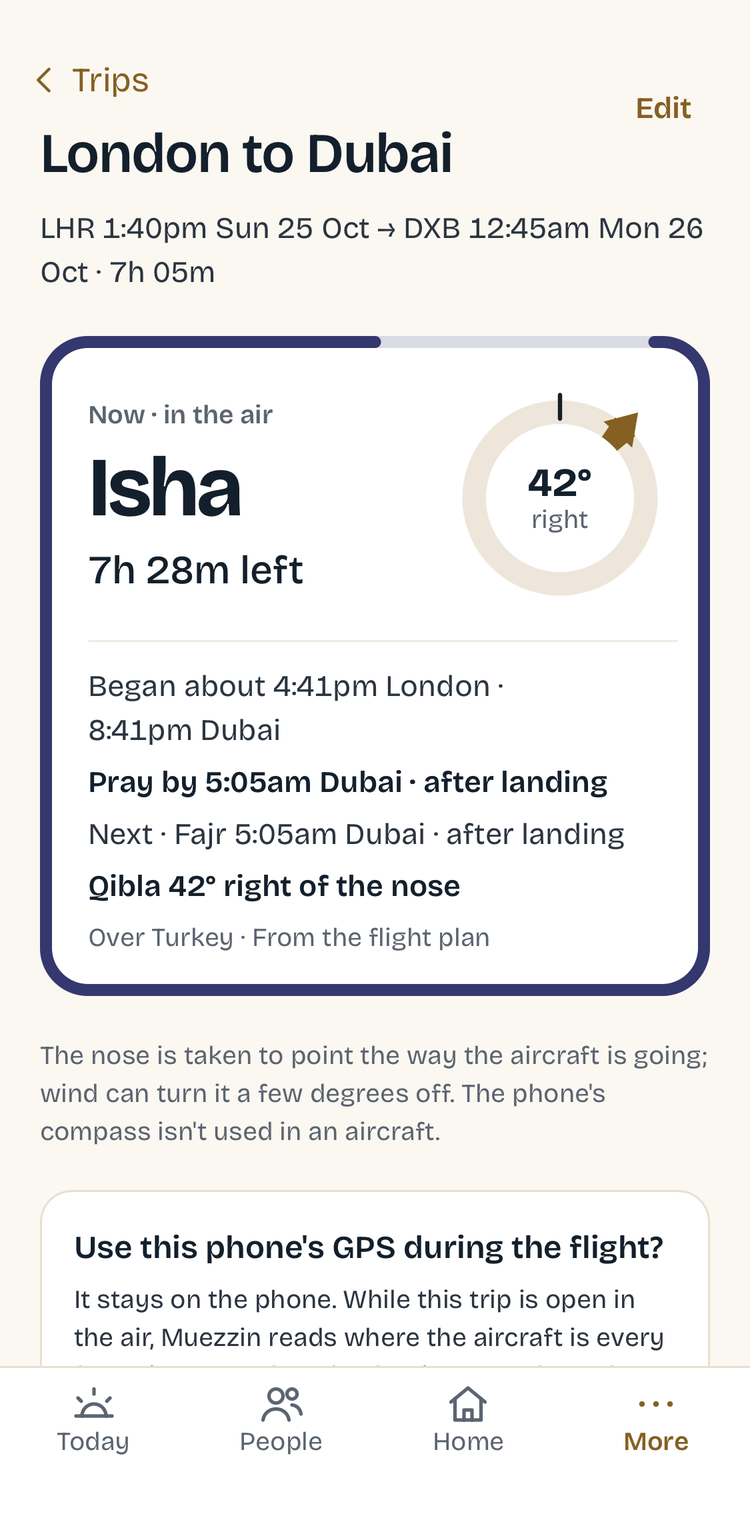
- A tripEvery prayer of the journey.
- QiblaTrue north, corrected for variation.
- ConnectionsAlexa Routines, Apple Home, AI.
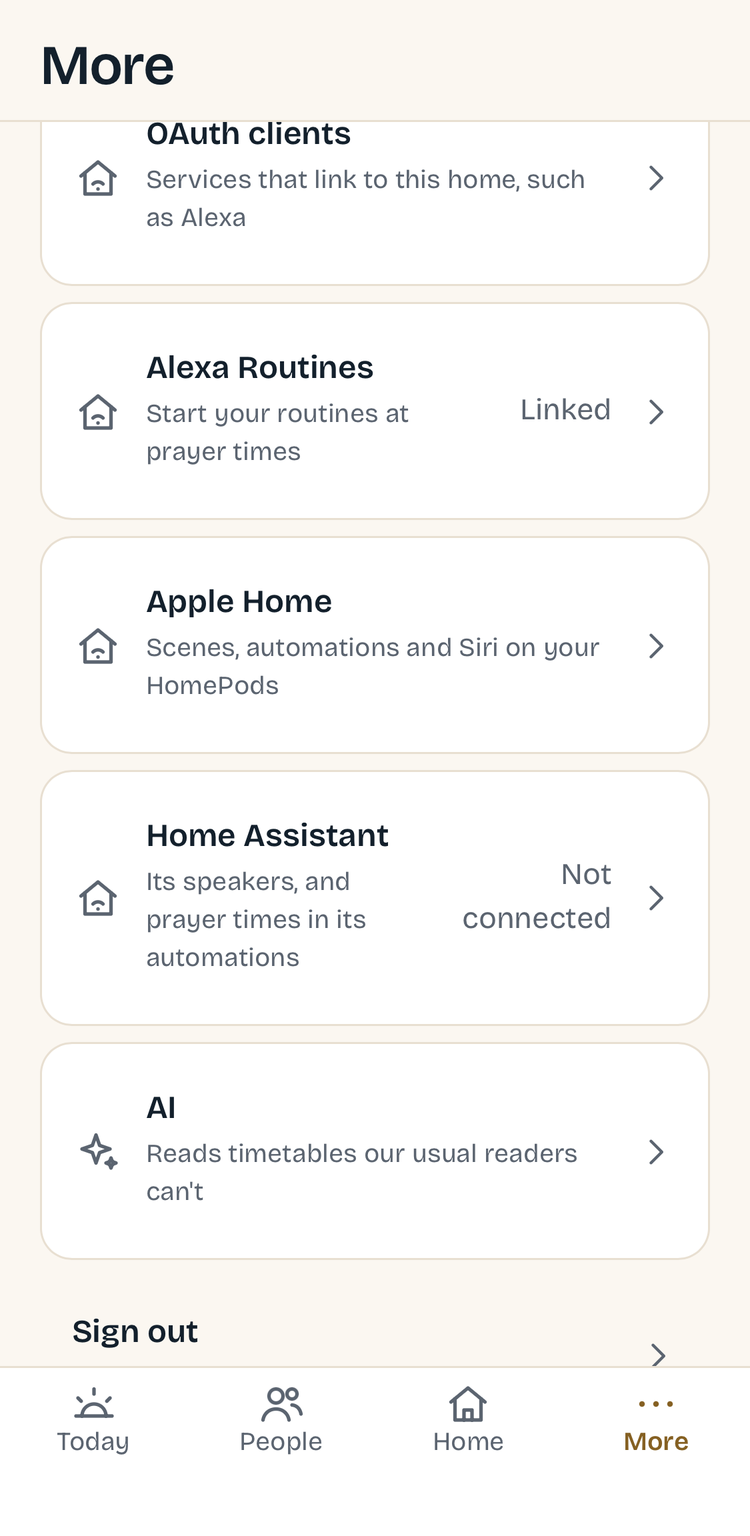
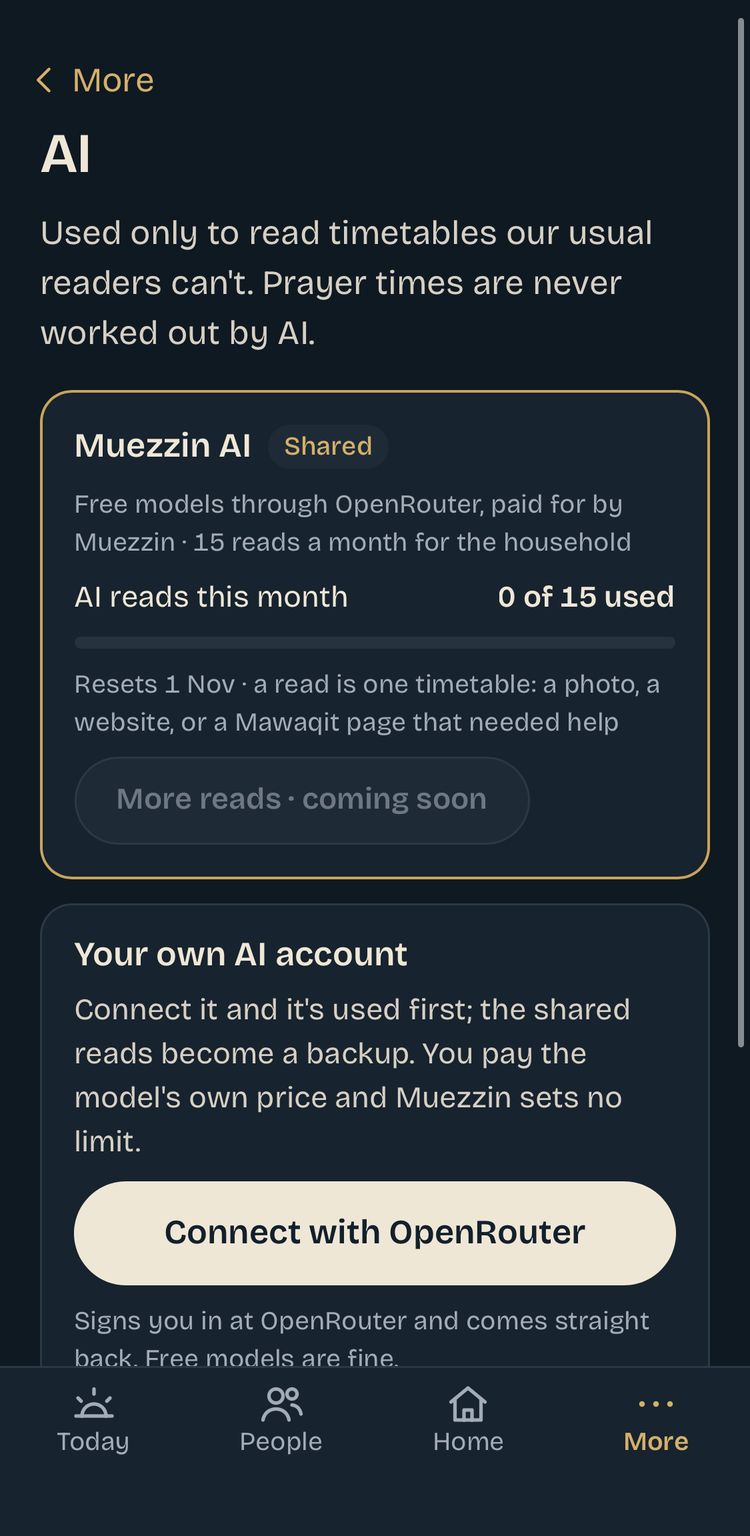
- AI, when neededOnly to read a timetable. Never to work out times.
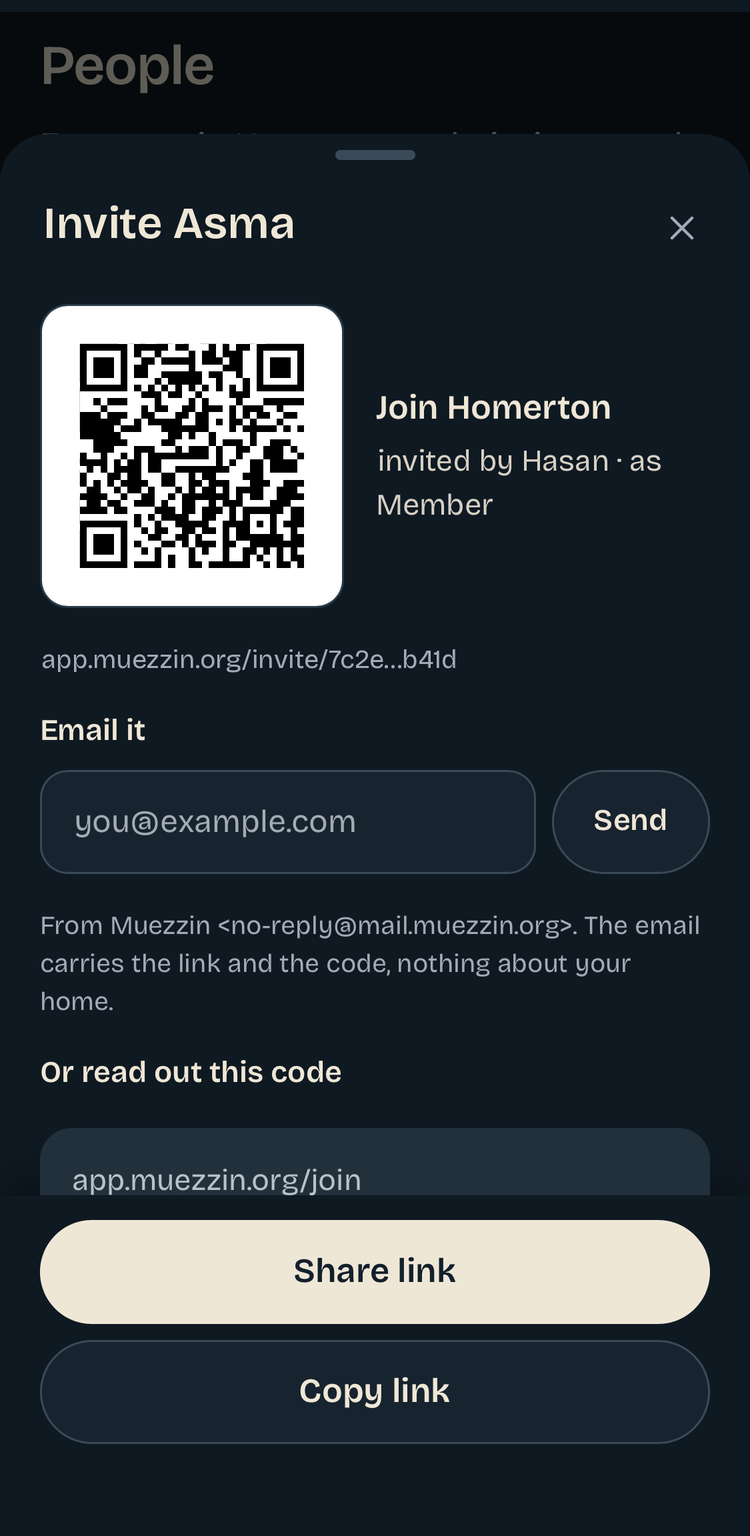
- Invite your householdA link, a QR code, or a code to read out.
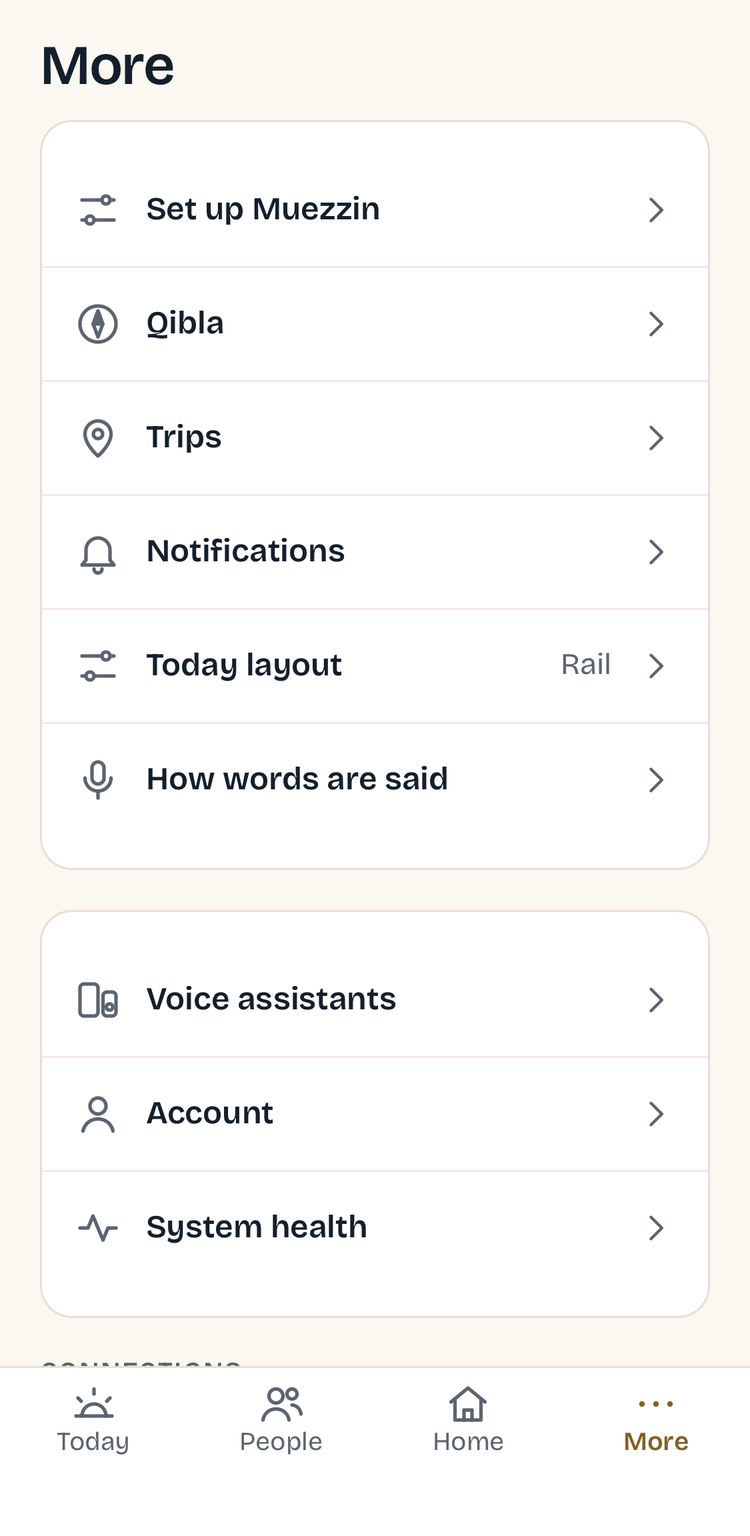
- MoreTrips, notifications, how words are said.


How you get it
Muezzin is a service at app.muezzin.org. First year free, then £2.49 for your second year.
Sign up at app.muezzin.org
Create your household, add your masjid and the people in your home, and choose what plays in each room — all in the app. Your household’s first year is free, with no card needed. The second year is £2.49 — half the standard price of £4.99 a year. Join the list and you’ll be first to know when it opens.
Join the waitlistThe Muezzin home agent
A small program that lets Muezzin reach the speakers inside your home. It runs on a Raspberry Pi, a Mac with Apple silicon, a Windows PC or a Linux machine that stays on, and you set it up from the app. No technical skills needed.
Muezzin is licensed for household use. See the terms.Questions
Do I need smart speakers?
No. Muezzin is a web app first: your masjid’s times on your phone, tablet or computer, a notification as each prayer begins, trips, qibla and local Jamaah — none of it needs a speaker. Speakers add the adhan in your rooms, and you can add them whenever you like.
Which speakers does it work with?
Amazon Echo, Google Home and Nest speakers (and other Chromecast speakers), Sonos, Apple HomePod and other AirPlay speakers, and TVs that take AirPlay or Chromecast. The home agent finds them on your network, and the full adhan plays on all of them.
Do I need to install anything?
A small Muezzin home agent runs on a Raspberry Pi, a Mac with Apple silicon, a Windows PC or a Linux machine in your home, so your speakers can be reached from inside your network. You set it up from the app; no technical skills needed. Everything else lives at app.muezzin.org.
Which assistants can I ask?
Alexa, Siri and Home Assistant Assist answer directly. Google speakers answer through Home Assistant. Whichever you use, each room answers with the right person’s settings.
Where do the times come from?
From the timetable your own masjid publishes — Muezzin fetches new months by itself and re-checks every day. When no timetable is available, it calculates with your own Fajr and Isha angles, and tells you plainly that it has.
My masjid only shares a PDF or a photo of the timetable.
Upload it. Muezzin reads it and shows you every day to check before anything is saved. Reading photos uses an AI service.
What does it cost?
Your household’s first year is free, with no card needed. The second year is £2.49 — half the standard price of £4.99 a year. After that it’s £4.99 a year for the whole household. Nothing is charged unless you choose to continue, and you can cancel any time. Joining the waitlist commits you to nothing.
What happens to our data?
We collect only what’s needed to run the service and keep your devices working. See our privacy notice. A voice assistant only receives what it needs to answer the question you asked.